
DOOXOOH CMS
Your screen network. One clear workspace.
Manage digital signage screens, playlists, broadcasts and offline playback with DOOXOOH CMS. Monitor delivery across Android, Windows and Linux. Request a demo.
DOOXOOH CMS
From the first upload to the last screen.
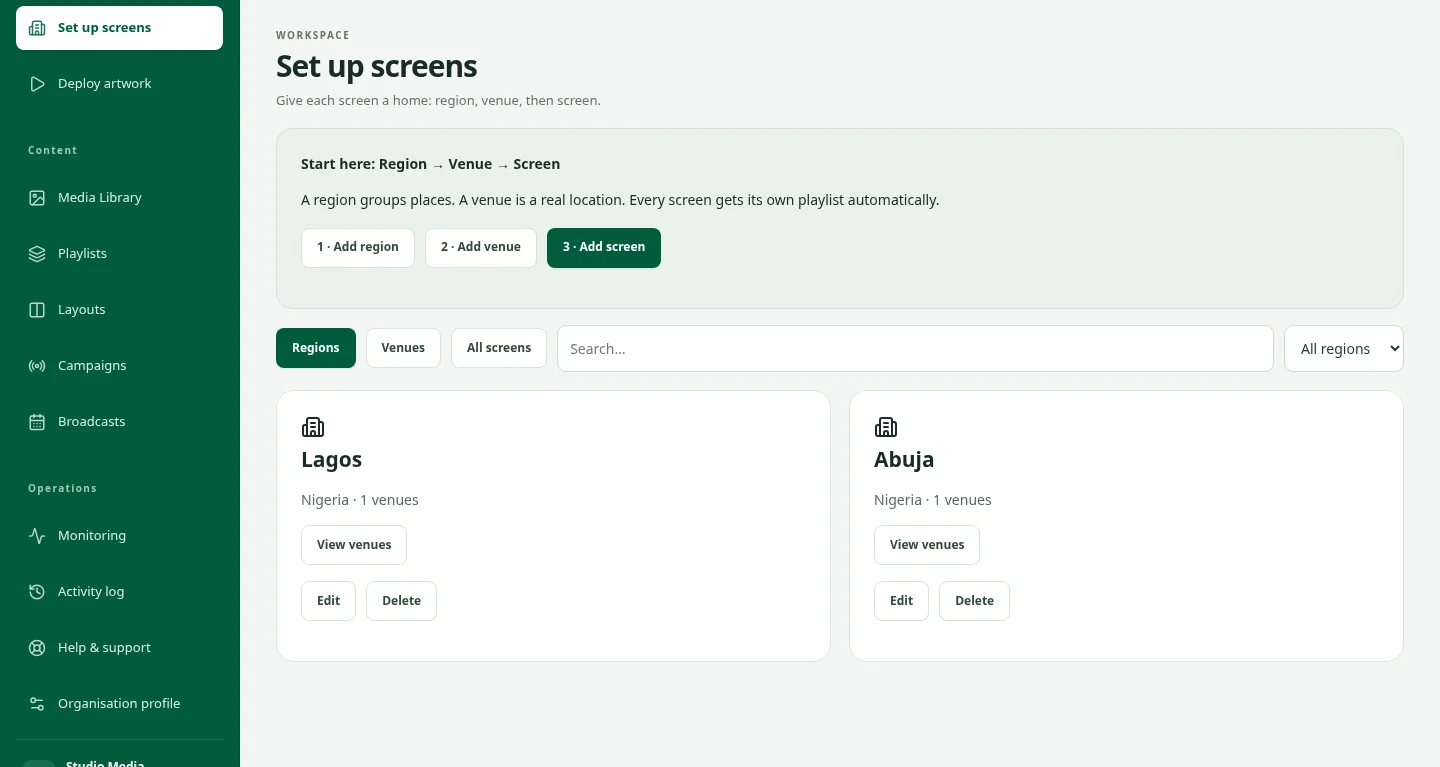
Manage every screen in context.
Organise screens by region and venue, record their location and operating hours, and see which devices are online, offline or waiting to pair.
Publish content with less friction.
Upload verified artwork, organise playlists and deploy to the screens you choose. Portrait and landscape artwork stretches to fill the destination, with playback order and per-artwork campaign details kept together.
Plan the day, not just one time slot.
Schedule broadcasts across multiple venues and screens, with separate time groups in the same day. Choose a takeover or playback alongside everyday content. Weather conditions are available where location and provider setup are configured.
Keep playback local.
Android, Windows and Linux players cache verified files for offline playback. Shared venues can use a server-scheduled playlist switch after the required screens finish downloading; playback is software-coordinated, not frame-accurate hardware synchronisation.
Follow delivery without guessing reach.
Review device status, activity and player-reported plays by screen, brand and campaign. Playback evidence supports operational review; it does not verify physical screen visibility or audience impressions.
Add commercial tools when you need them.
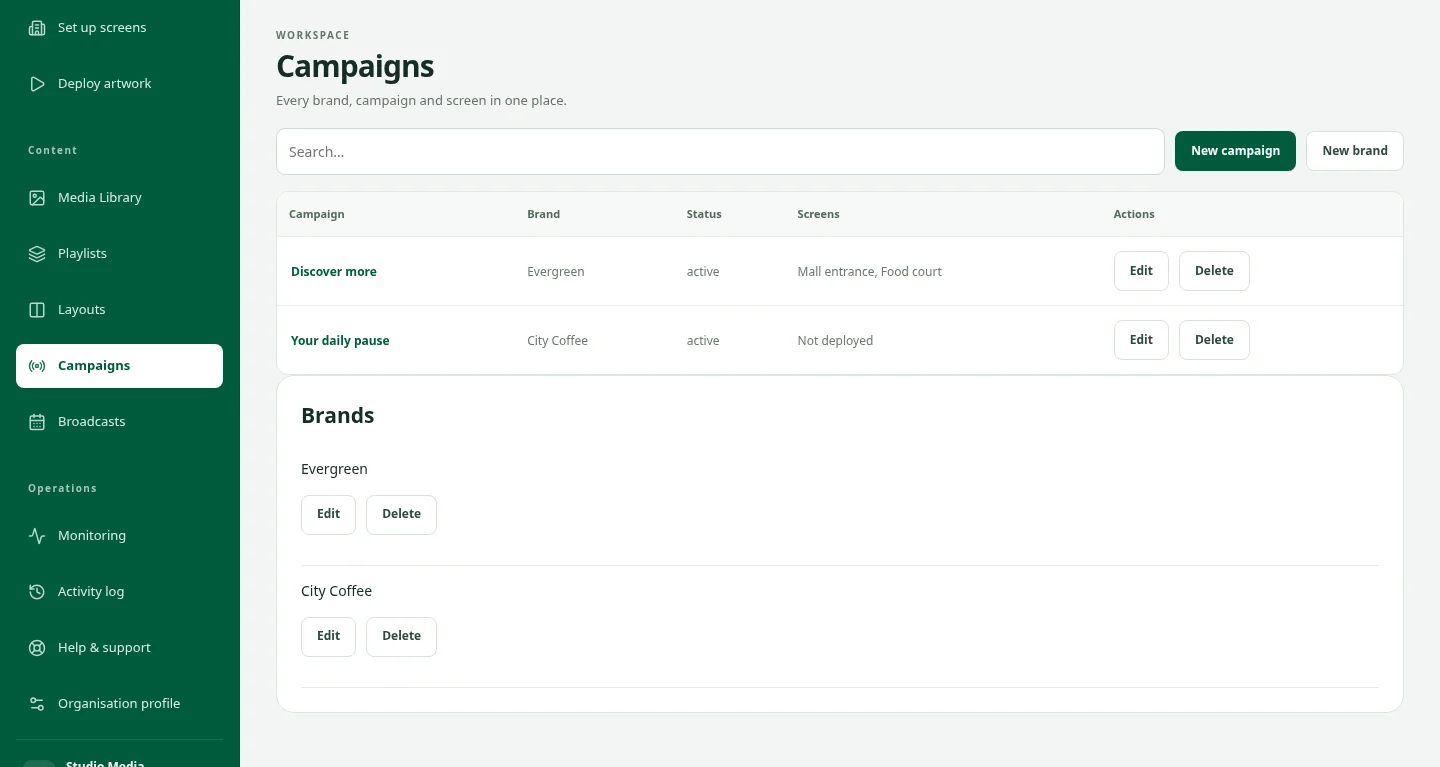
Enable eligible screens for advertising inventory. The administrator-enabled Campaigns add-on provides advertising reservations, capacity checks, delivery review and media invoices. Exchange is a separate connected product for buyer and publisher trading.
FROM YOUR DESK TO THE DISPLAY
From the first screen to the next campaign.
The idea is ready. Now choose the screens, organise the playback and keep the campaign in view. See how the pieces fit together in a private CMS demo.
Take a closer lookPart of your wider advertising workflow.
DOOXOOH Players
Use supported Android, Windows or Linux devices to deliver content from your workspace.
Explore playersDOOXOOH Exchange
Connect screen inventory with advertisers, publishers and media partners.
Explore ExchangeBookings & delivery
Explore the optional commercial workflow inside the CMS.
Explore bookingsA simpler route to the screen.
- 01
Set up your network
Create venues, add screen coordinates and operating hours, then pair your players.
- 02
Prepare the content
Upload artwork and arrange playlists, layouts and brand or campaign details.
- 03
Choose where and when
Deploy everyday content or schedule broadcasts for selected destinations.
- 04
Keep an eye on delivery
Monitor devices, review reported playback and manage your next update.
Questions, answered.
Which devices can I use?
DOOXOOH has players for supported Android, Windows and Linux devices. Check device compatibility and test your media before a wider rollout.
Can screens play without an internet connection?
Players can continue using verified downloaded files and cached schedules. New content, instructions and report uploads require connectivity.
Are CMS and Exchange the same product?
No. CMS runs screen operations. Exchange connects advertising buyers, publishers and media partners around inventory and bookings; eligible inventory can connect back to CMS delivery.
Are commercial campaigns included automatically?
Advertising inventory is an owner-controlled opt-in. CMS Campaigns requires the add-on to be enabled by a platform administrator; pricing and service scope should be confirmed before onboarding.
How can I see the CMS?
Request a demo. Approved guests receive a private invitation and verify their email before opening a sample-data workspace.
See your next screen network in action.
Tell us about your screens, locations and content workflow. We will walk you through the CMS and discuss a suitable rollout.