
DOOXOOH EXCHANGE FOR SELLERS
Make your screen time an advertising opportunity.
For screen owners, venue networks and publishers: offer advertising time, manage listings, review campaign artwork and follow delivery with DOOXOOH Exchange.
Access starts with a short email to our team.

DOOXOOH EXCHANGE FOR SELLERS
Offer your inventory while keeping control of your screens.
Decide what you want to offer.
Choose the eligible screens, advertising hours, available time and category restrictions for your listings. Bring your venue knowledge into the inventory you make available.
Give buyers a clear listing.
Prepare the venue details, screen information and pricing buyers need to understand the opportunity. Submit the listing for review before offering it in Exchange.
Review the campaign before it runs.
Review the exact artwork, supporting approval evidence and booking request. Accept suitable campaigns through your publisher workspace and keep the conversation with the booking.
Connect the booking to delivery.
Use the approved delivery setup for accepted campaigns. Follow player-reported plays, booking records and earnings so the commercial work stays connected to the screen operation.
Have the conversation where the work is.
Keep campaign questions in Messages alongside the trading conversation. With calling enabled, eligible trading partners can move into a one-to-one voice or video call, then return to the campaign workspace.
Make the offer clear before it is accepted.
Set commercial defaults and media-specific requirements, prepare scheduled offers and include the terms the buyer will accept. Keep revisions traceable and distinguish guaranteed extra spots from extras offered when space is available.
Understand the work behind the earnings.
Review earnings and commission by period and media. Use charts, rankings and CSV or PowerPoint exports for the next review, and inspect reserved capacity alongside available hours. Recorded delivery and agreed campaign values remain distinct.
Move between the tools with the context intact.
Open the connected Orbit inventory or CMS screen and booking from the relevant workspace. Your organisation and access permissions follow the link, helping the team find the right record without re-entering its details.
BEHIND YOUR INVENTORY
Bring the advertising opportunity back to the screens.
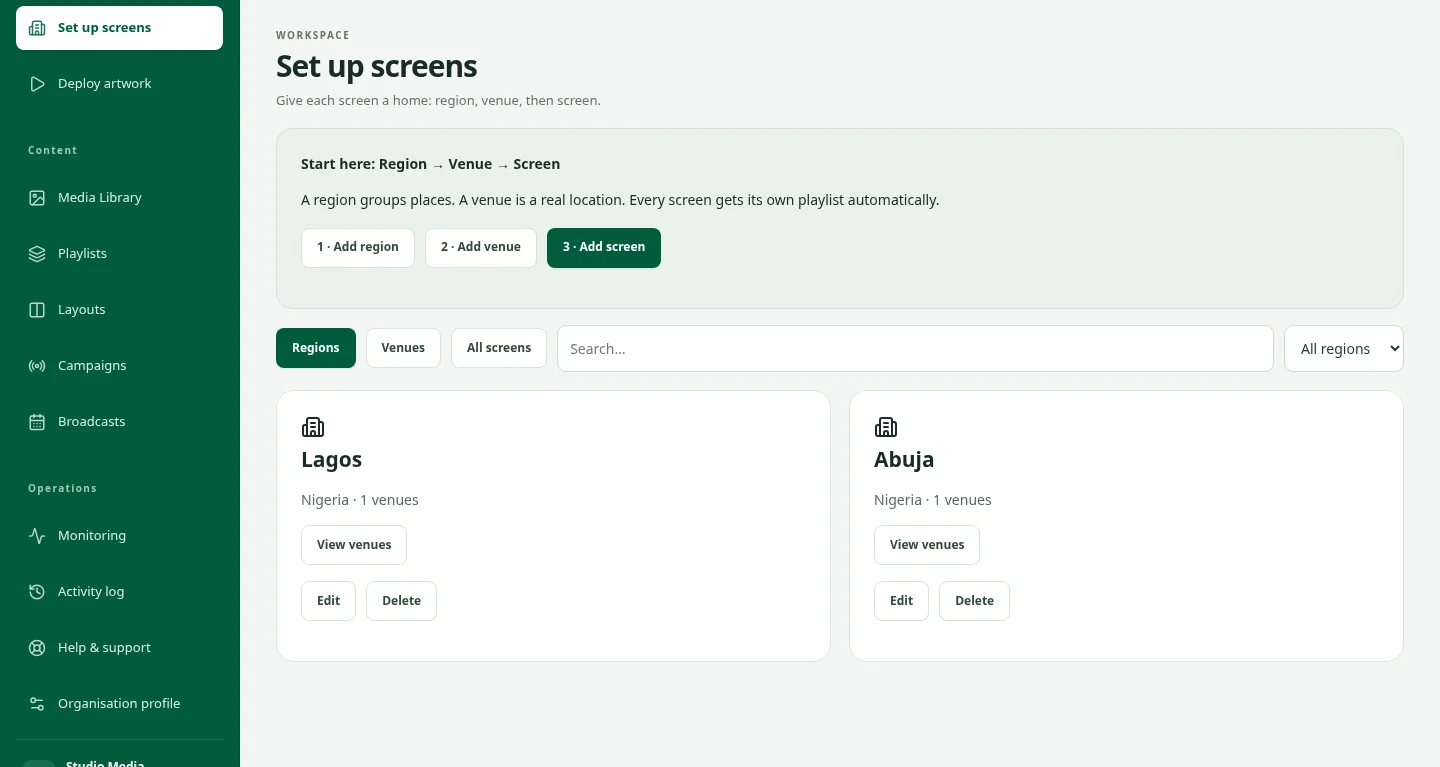
Your screen operation is the foundation. Connect the inventory you offer to the venues, operating hours and delivery setup your team manages.
Explore screen managementFor the people who own and operate the space.
Screen networks & media owners
Manage the inventory you offer, review buyer requests and keep delivery records alongside the accepted campaign.
For media ownersRetail & venue operators
Explore advertising opportunities within the spaces you already operate, alongside the practical needs of your venue.
For venue teamsNeed screen-management software?
DOOXOOH CMS connects screen organisation, artwork deployment, schedules and playback records.
Explore the CMSHow to start selling with Exchange.
- 01
Request seller access
Email your organisation, the locations you operate and the screens you want to offer. We will review your publisher access and discuss the delivery connection.
- 02
Prepare your inventory
Once your account is ready, configure eligible screens, venue information, advertising time, pricing and restrictions. Submit your listings for review.
- 03
Review buyer requests
Check the artwork, approval evidence, dates and buying plan. Discuss the request with the buyer before accepting the booking.
- 04
Deliver and review earnings
Follow the accepted booking through the connected delivery setup. Review reported plays, commercial records and the agreed commission arrangements.
Questions, answered.
Who should use the seller page?
Screen owners, media owners, venue networks and publishers who want to offer advertising inventory. Seller access uses the publisher workspace in Exchange.
What should I send to get started?
Your organisation, the locations and number of screens you operate, the formats you offer and how playback is currently managed.
Can I choose which campaigns run?
Yes. Publishers review artwork, relevant approval evidence and booking requests before acceptance. Your inventory settings also define advertising availability and category restrictions.
Do I need DOOXOOH CMS?
Your offered inventory needs an approved delivery setup. DOOXOOH CMS is the connected screen-management option; discuss your existing setup with the team during onboarding.
How are pricing and earnings handled?
Configure listing prices and review requests against your available capacity. Discuss commission, payment and settlement arrangements during onboarding and use the authorised financial views to follow the records.
Can we buy advertising as well as sell it?
Yes. Tell us you need both capabilities so we can discuss a Media Partner account.
Can we buy or offer a media package?
Exchange also supports curated media offers shared by media owners through Orbit. Use the package enquiry to explain the locations, dates and campaign you have in mind, then discuss a proposal with the owner.
START SELLING
Request seller access.
Tell us about your screen network. We will review your organisation, discuss the delivery setup and help you prepare your publisher account.
Tell us about your screens
- Your organisation and the locations you operate
- The number and formats of screens you want to offer
- How you currently manage playback and advertising time
Opens your email app with a ready-to-fill request.
Or email support@dooxooh.com
Already have an active Exchange account?
Sign in to Exchange