
Bring every part of your outdoor campaign together.
Manage outdoor media inventory, scheduled proposals, field jobs and financial records with DOOXOOH Orbit. Review reports and connect your team’s work with CMS and Exchange.

Know what you have to sell.
Keep static billboards, digital displays and other media units together with their locations, specifications, photographs and rates. Check availability for the campaign dates before shaping an offer.
Turn the brief into a clear proposal.
Build proposals around the media, dates and prices you agree with a client. Compare quoted values with your rate card, then turn an accepted proposal into a campaign with reserved inventory.
Give field teams a clear next step.
Assign installation, inspection, maintenance and removal work. Keep submitted photographs and proof with the job so the office and the people on site can follow the same campaign.
See the records behind the business.
Keep invoices, recorded receipts, payables, site costs and agreements alongside the campaign. Follow outstanding balances and give the right people access to the financial work.
Bring your media offer to Exchange.
Curate inventory into media packages and choose the information buyers can see. Share your offer through DOOXOOH Exchange, receive enquiries and prepare proposals from the buyer’s brief.
Talk it through with your team.
Use Team calls for one-to-one voice and video conversations with teammates in your organisation when calling is enabled. Mute your microphone, switch your camera off or minimize the call while you continue working.
Keep access aligned with responsibilities.
Give sales, inventory, field and finance colleagues access suited to their work. Use the activity view to follow decisions and keep your organisation’s records together.
Connect outdoor and social planning.
Bring supported social-account connections, location-audience briefs and campaign reports into the wider outdoor-media workflow. Discuss the account connections and data-partner services your campaign needs with DOOXOOH.
Set the rules once. Refine them where needed.
Keep commercial defaults with the rate card and adjust requirements for individual media units. Prepare proposals with dates, operating days and time windows, then keep accepted schedules and agreed terms with the campaign.
Bring a clearer picture to every review.
Use date and media filters, charts and rankings to review commercial activity and recorded delivery. Export CSV or PowerPoint summaries, and check how reservations use available media hours. Financial totals stay separate by currency.
Stay connected to the screen and the sale.
Move from linked inventory to the corresponding CMS screen, or open Exchange to manage the trading conversation. Shared records help your team carry the right organisation, media and booking context into the next step.
CONNECTED TO YOUR SCREEN BUSINESS
The work around every placement.
Keep your inventory, offers, field jobs and financial records connected, then bring the media offer to buyers through Exchange.
Explore DOOXOOH ExchangeDOOXOOH CMS
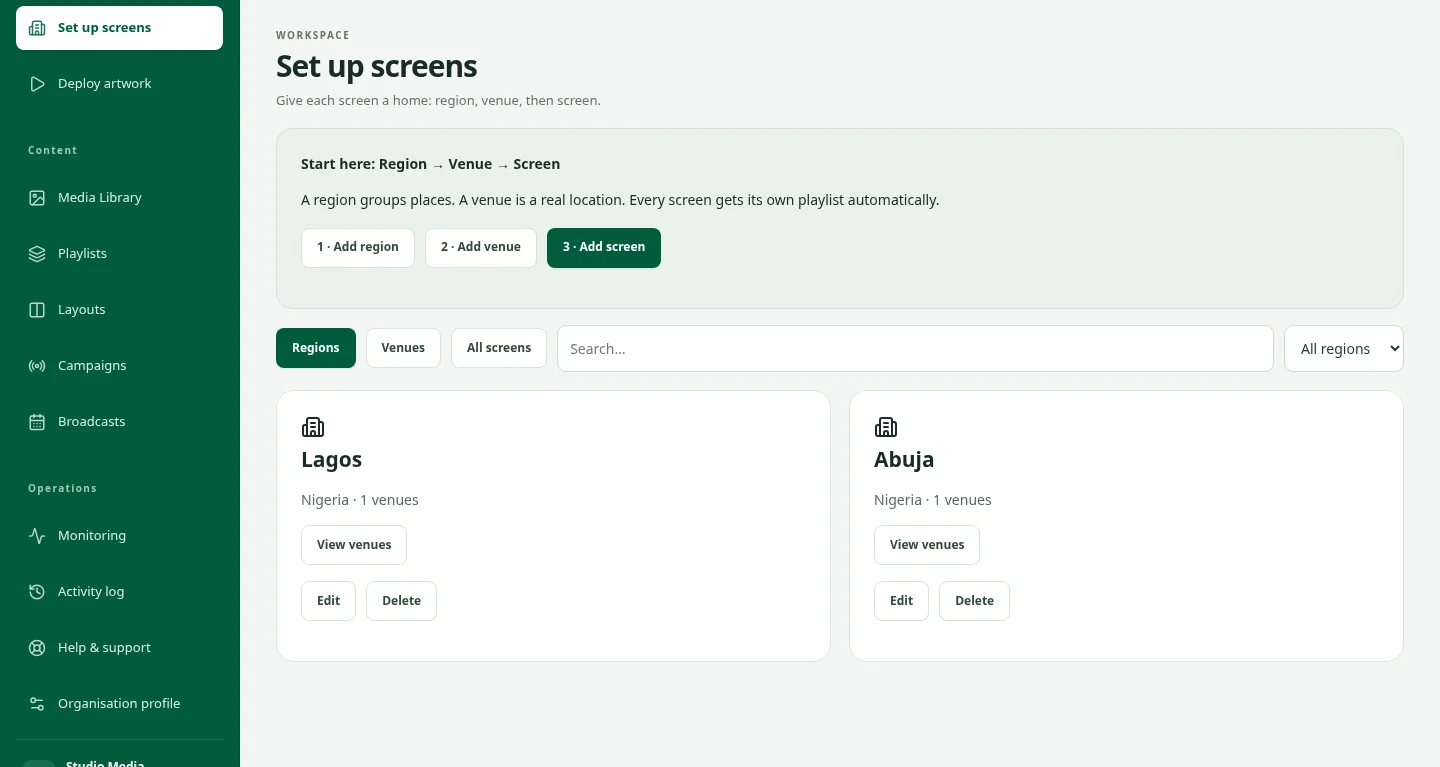
Manage screen content and publishing.
Explore CMSDOOXOOH Exchange
Bring buyers and media owners together.
Explore ExchangeStart using Orbit
Follow the everyday workflow from inventory and proposals to field work and financial records.
Read the Orbit guideGood questions. Clear answers.
Who is Orbit for?
Orbit is for outdoor media owners, sales teams, campaign coordinators, field teams and finance colleagues who need to work from the same inventory and campaign records.
Can Orbit manage static and digital media?
Yes. Orbit organises media inventory and the commercial work around it, including static and digital formats. Use DOOXOOH CMS for content scheduling and playback on connected digital screens.
How is Orbit different from Exchange?
Orbit helps your team run its media business. Exchange connects buyers with advertising opportunities and keeps enquiries, booking conversations and campaign requests together. You can bring a curated Orbit media offer into Exchange.
Can my field team submit campaign proof?
Yes. Assign field jobs and keep submitted proof with the relevant work so the team can review progress and follow up.
Can teammates call each other?
With calling enabled, confirmed members of the same organisation can start one-to-one voice or video calls from Team calls. The recipient chooses whether to accept, and each person controls their microphone and camera.
How do we get started?
Tell DOOXOOH about your media formats, team and current workflow through Contact. We will discuss the right access and the products your business needs. Existing users can sign in at orbit.dooxooh.com.
Keep exploring.
Outdoor Advertising Marketplace — DOOXOOH Exchange
Discover published media on a map, build campaign plans, agree offers and review trading reports with DOOXOOH Exchange for buyers and publishers.
ExploreDigital Signage CMS for Screen Networks
Manage digital signage screens, playlists, broadcasts and offline playback with DOOXOOH CMS. Monitor delivery across Android, Windows and Linux. Request a demo.
ExploreRequest a demo
Request private access to explore the CMS with sample data.
ExploreStart a conversation.
Tell us what you have in mind.