
Screen installation & setup that fits your brief.
Plan the hardware, venue readiness, connectivity and player configuration.

Check venue readiness.
Confirm display placement, mounting, power, connectivity, device access and operational responsibilities. Hardware supply and installation are agreed per project, not implied by a CMS subscription.
Configure the display.
Set the device orientation and audio output, install the appropriate player and pair it with the right screen record. Document the region, venue and screen names clearly.
Hand over a working setup.
Test actual playback, reconnect behaviour and the agreed support route. Device-specific operating-system limitations are checked during commissioning.
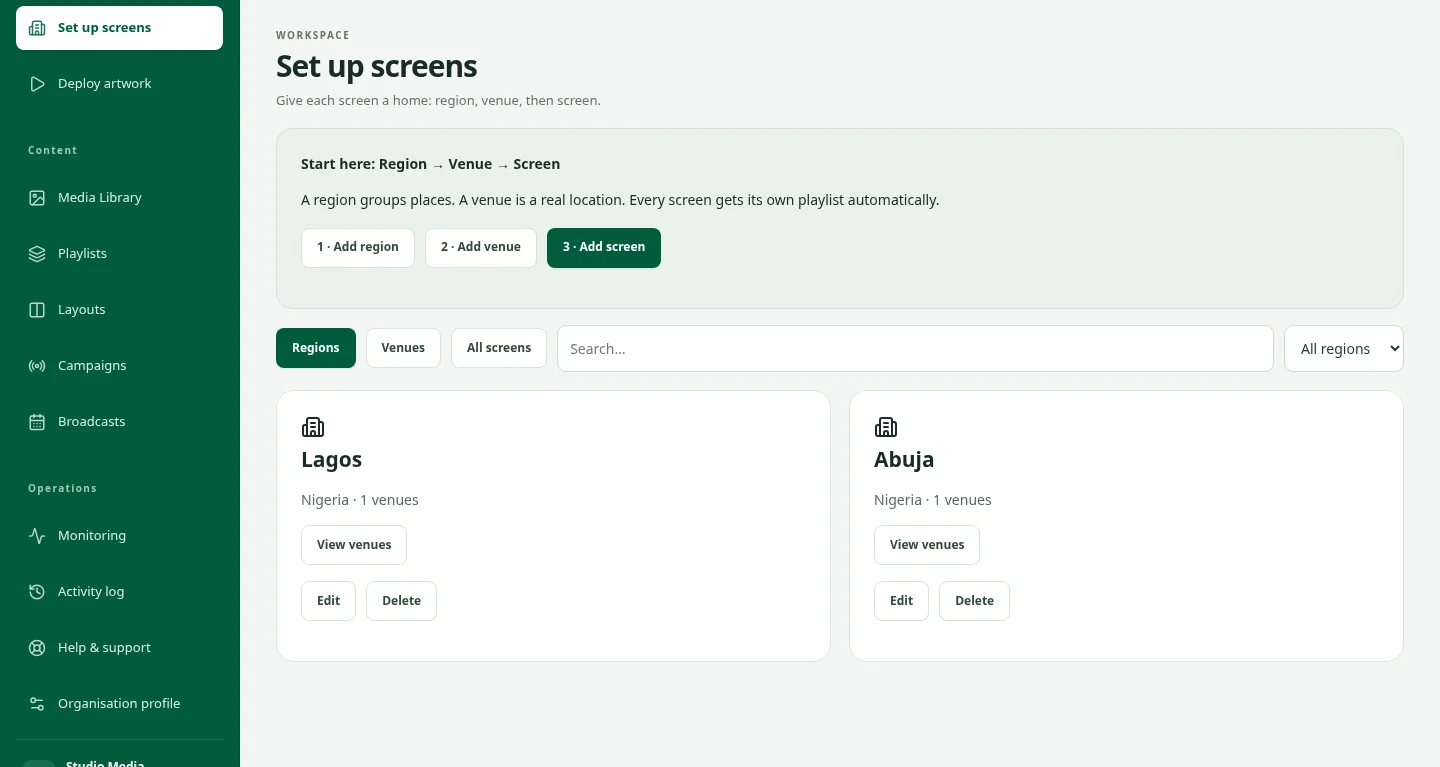
AFTER THE INSTALLATION
Give the screen a place in your network.
A connected display needs a clear venue, a useful name and a plan for what it will play. Think about ongoing operations while planning the setup.
Explore screen operationsKeep exploring.
Create & deploy
Creative production, screen installation and campaign operations, joined up from artwork to display.
ExploreDigital Signage CMS for Screen Networks
Manage digital signage screens, playlists, broadcasts and offline playback with DOOXOOH CMS. Monitor delivery across Android, Windows and Linux. Request a demo.
ExploreContact DOOXOOH
Talk to DOOXOOH about digital signage, media planning, campaign delivery or a partnership. Bring your objective and the places you want to reach.
ExploreStart a conversation.
Tell us what you have in mind.